01. OVERVIEW & KEY CHALLENGES
Office App Silhouette
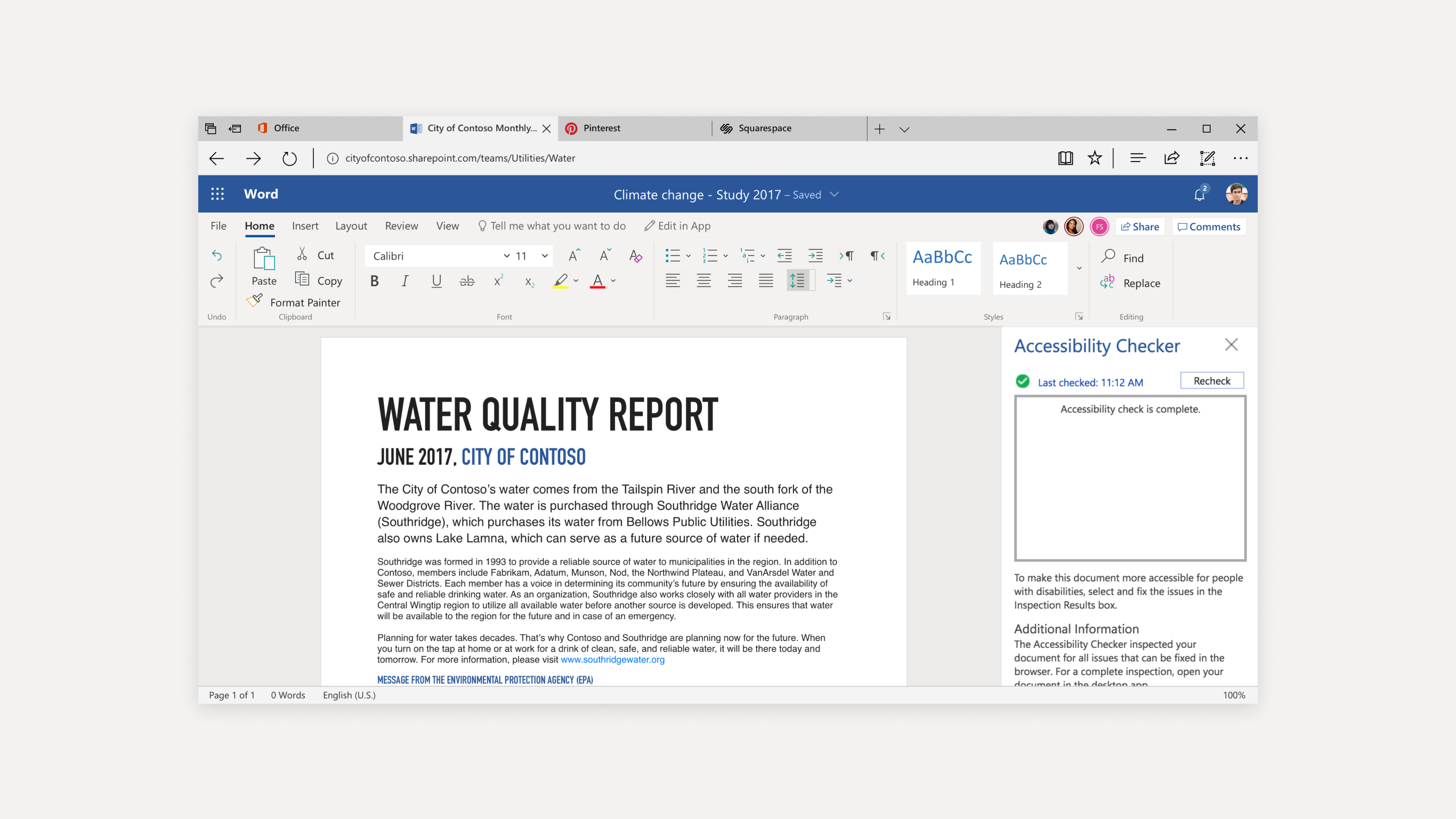
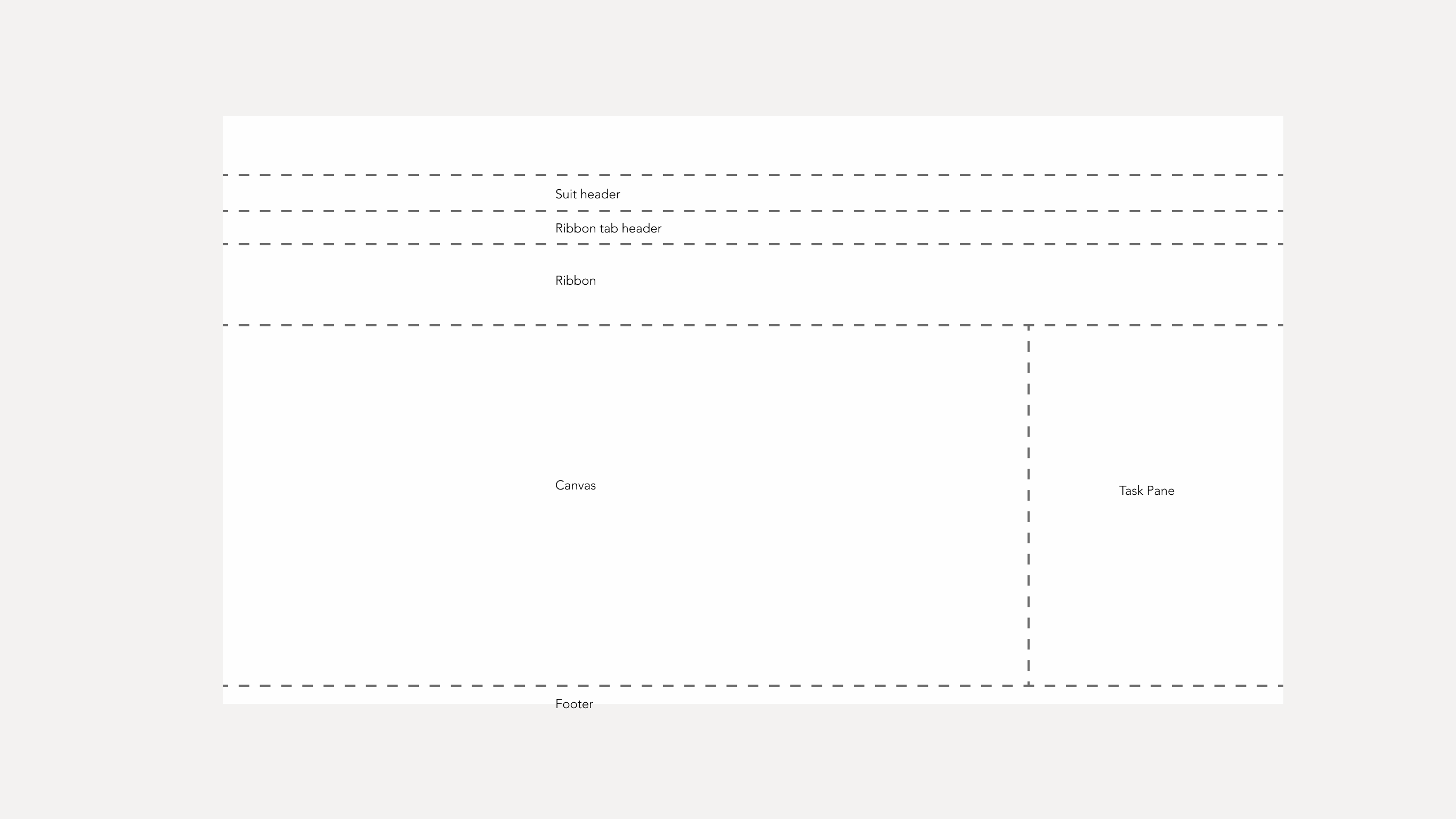
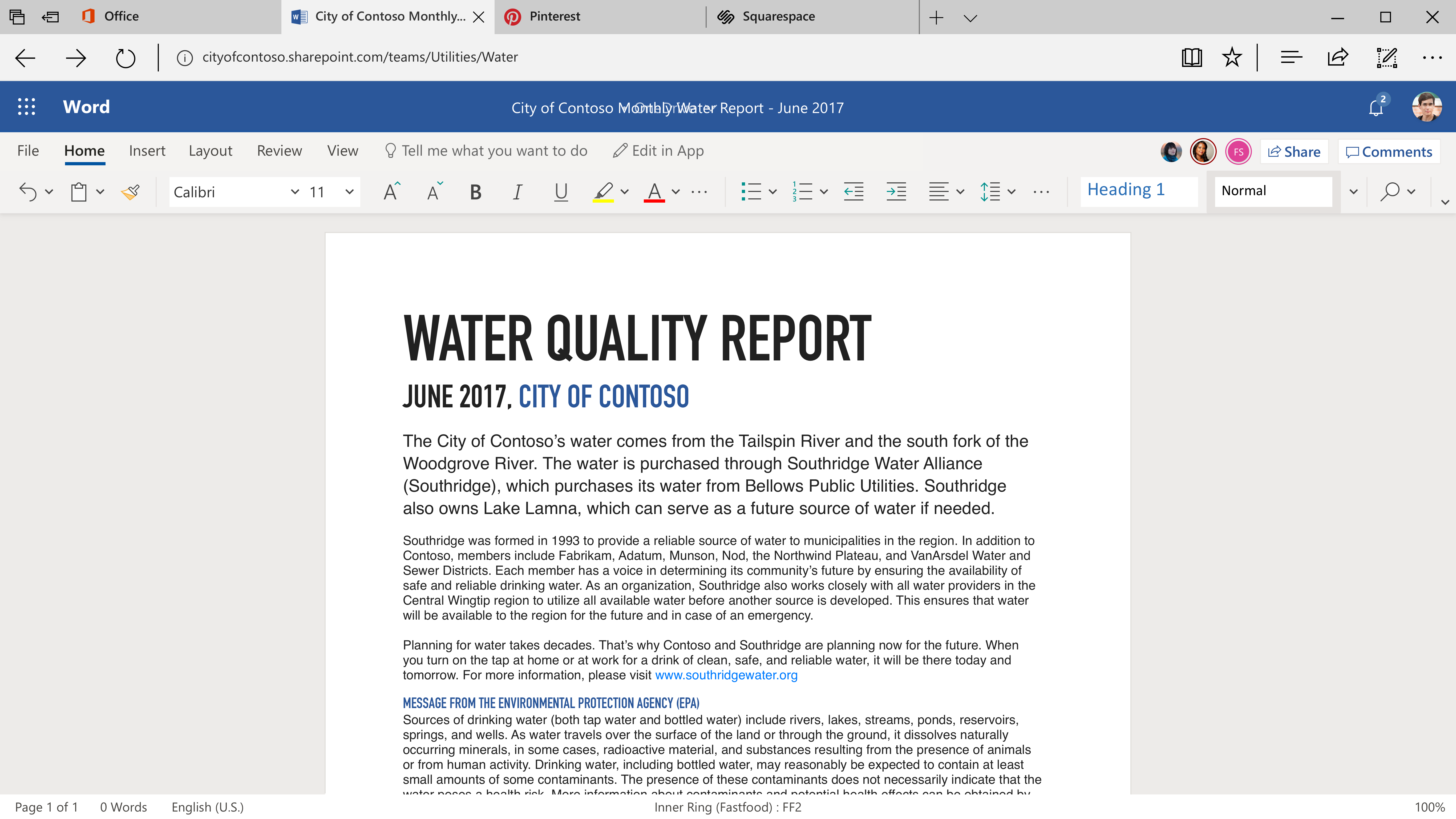
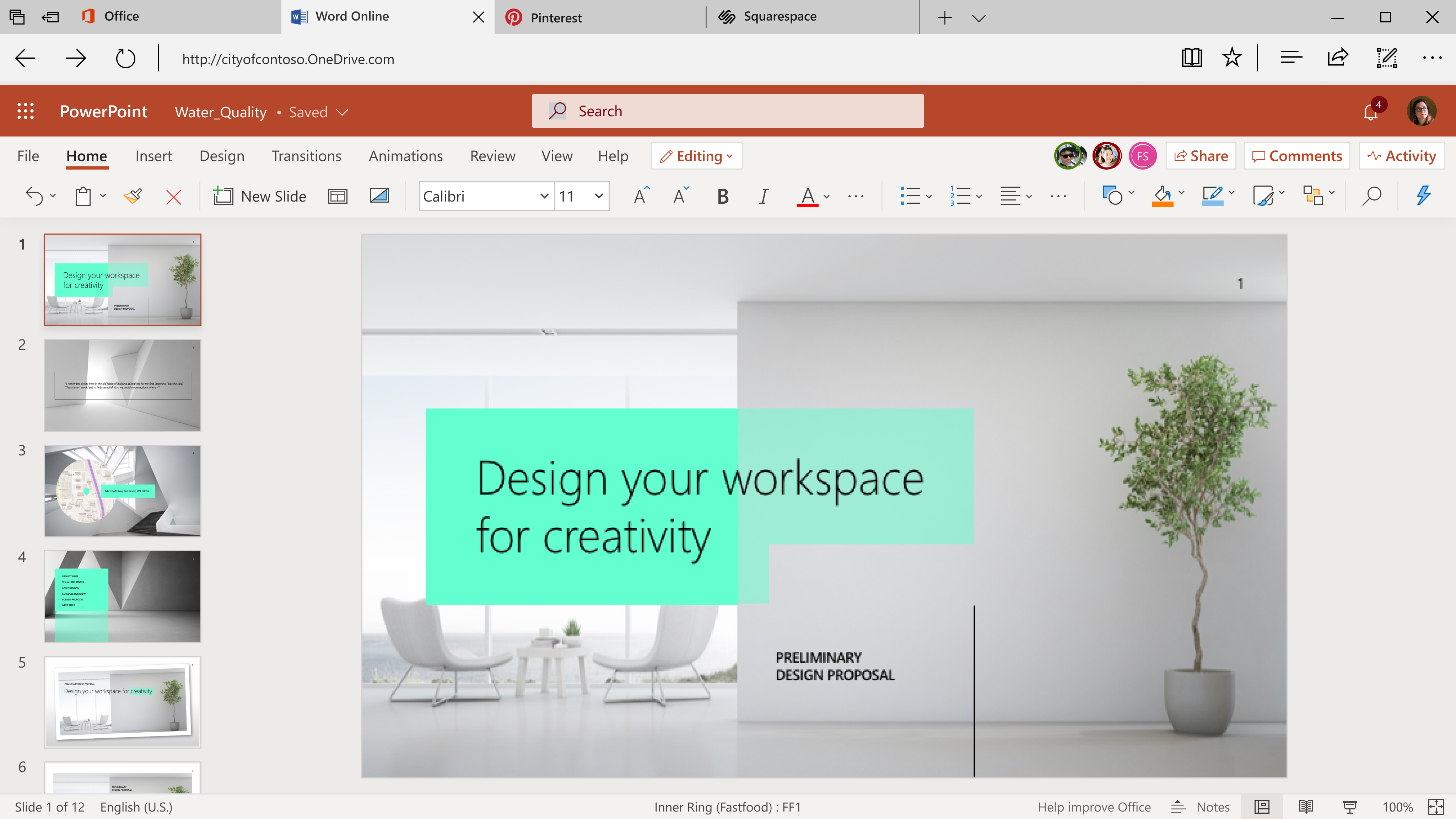
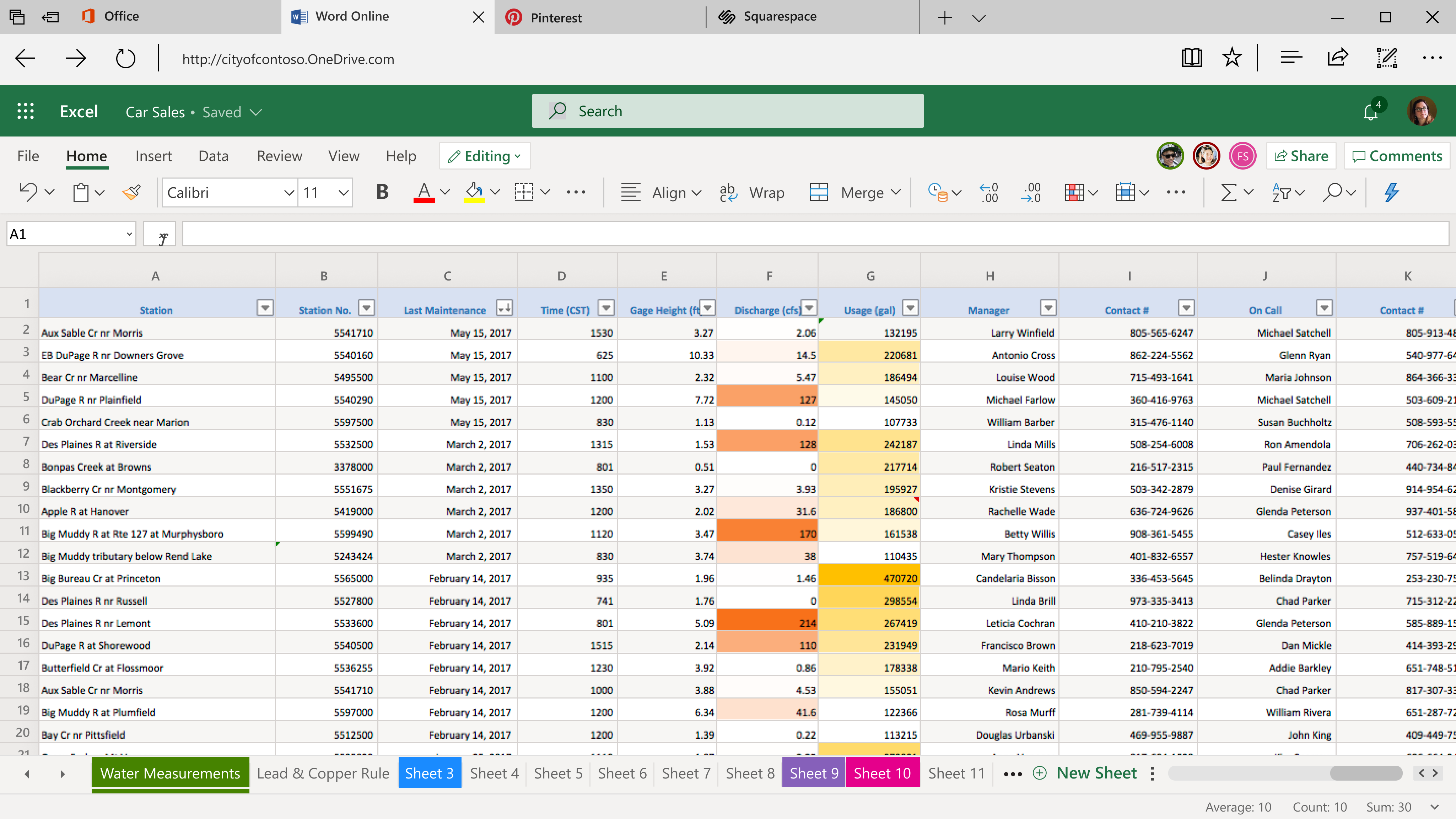
Core Office apps like Word, PowerPoint, Excel, and Outlook share a common UI structure: a suite header for Office-wide info, a tab header and command ribbon for app-specific actions, a canvas for content, and a task pane for extra functions. I led the effort to simplify this layout for users focused on quick editing and fast creation.
Power and Simplicity
The spectrum of work and ideas that Microsoft Office supports is diverse beyond imagination. For Office Design, our biggest challenge and our biggest reward is that our audience is quite literally everyone.
02. MY ROLE
Design Lead | User Research
03. PROBLEM STATEMENT
“The programs have become overly complex as time has gone on. They have much more capability than we need.”
“Sometimes it can become overwhelming, there can be too many buttons available”
- O365 users
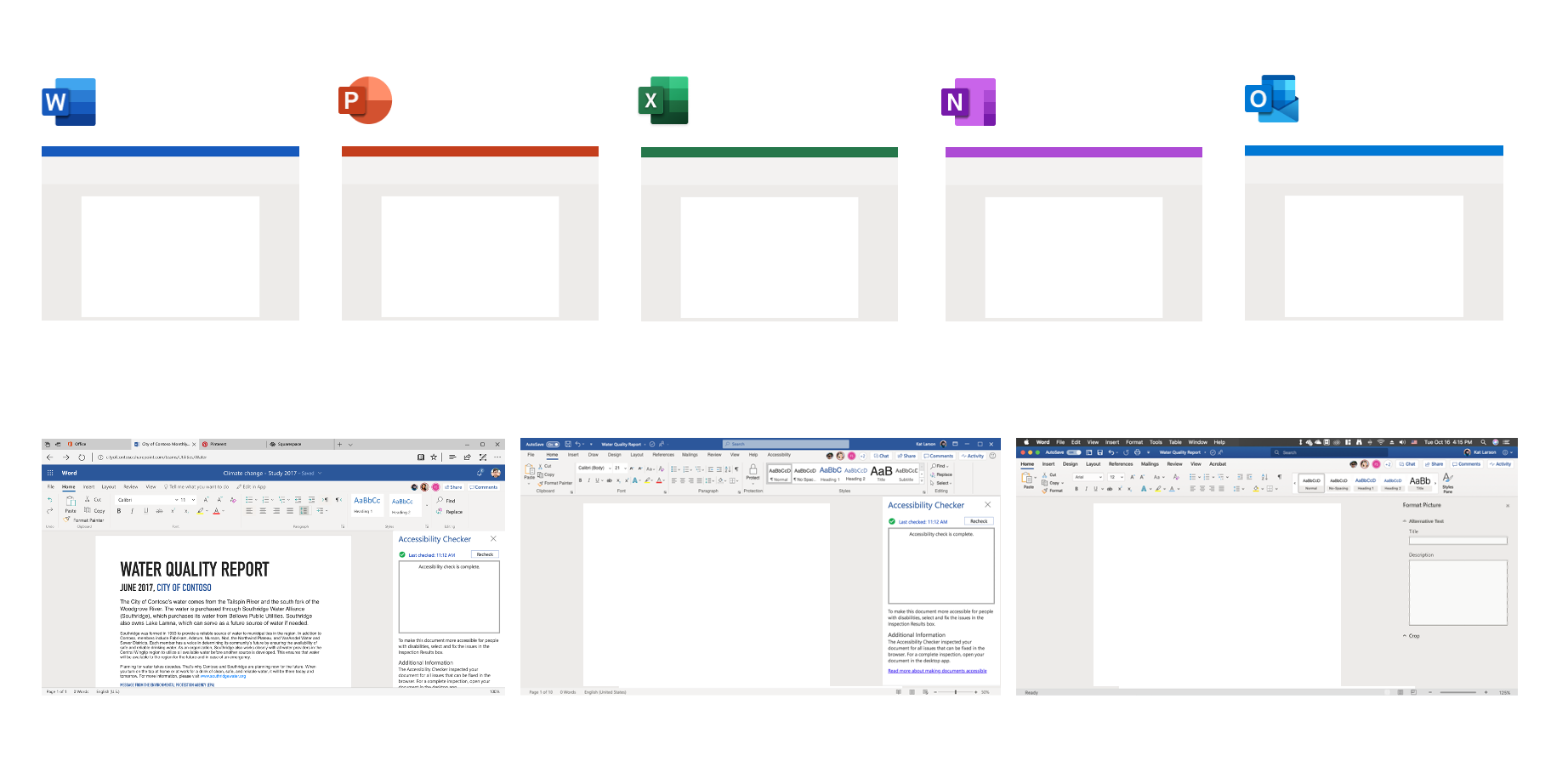
The silhouette is also unified across platforms, which is Office online, Office on Windows, and Office on Mac.
04. RIBBON SIMPLIFICATION PROCESS
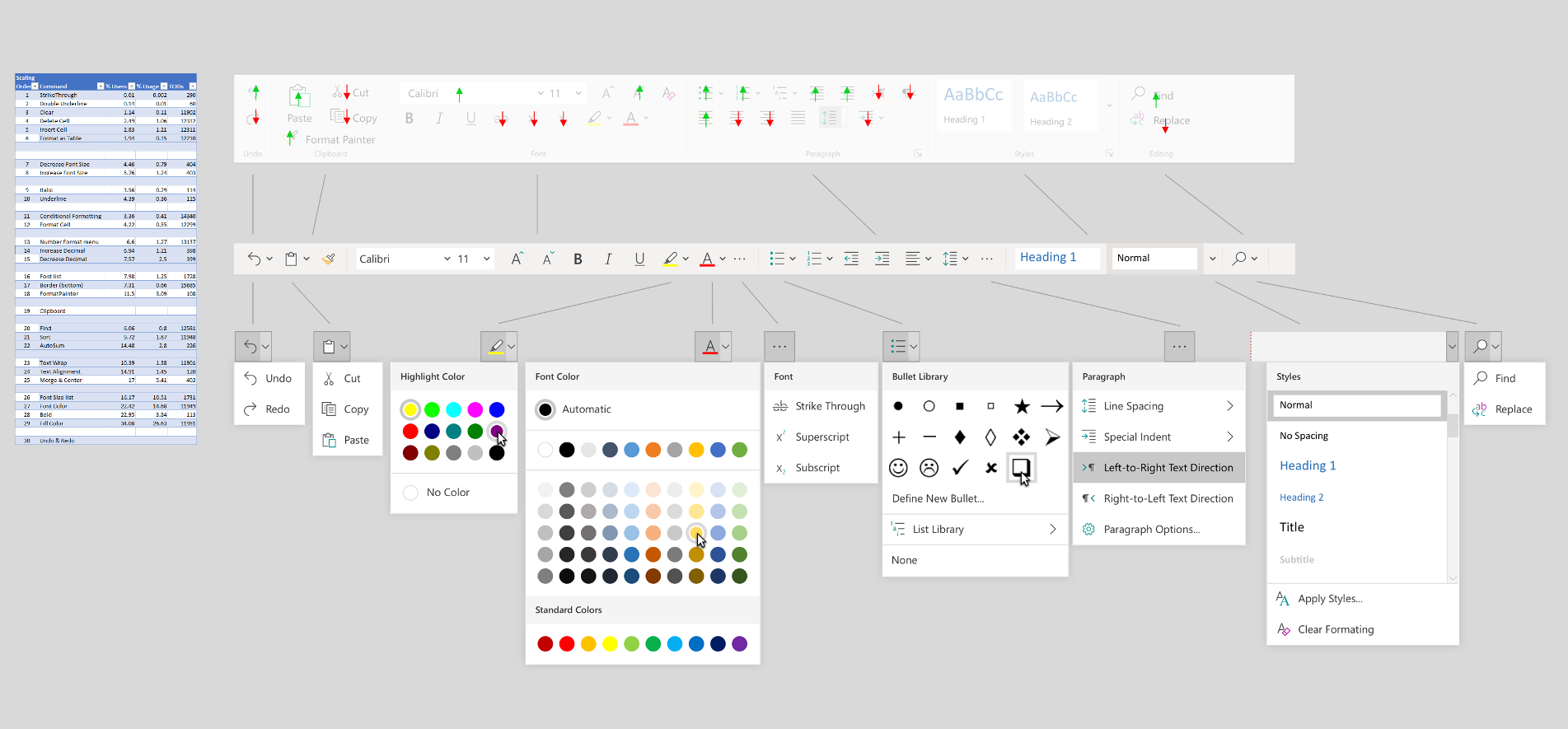
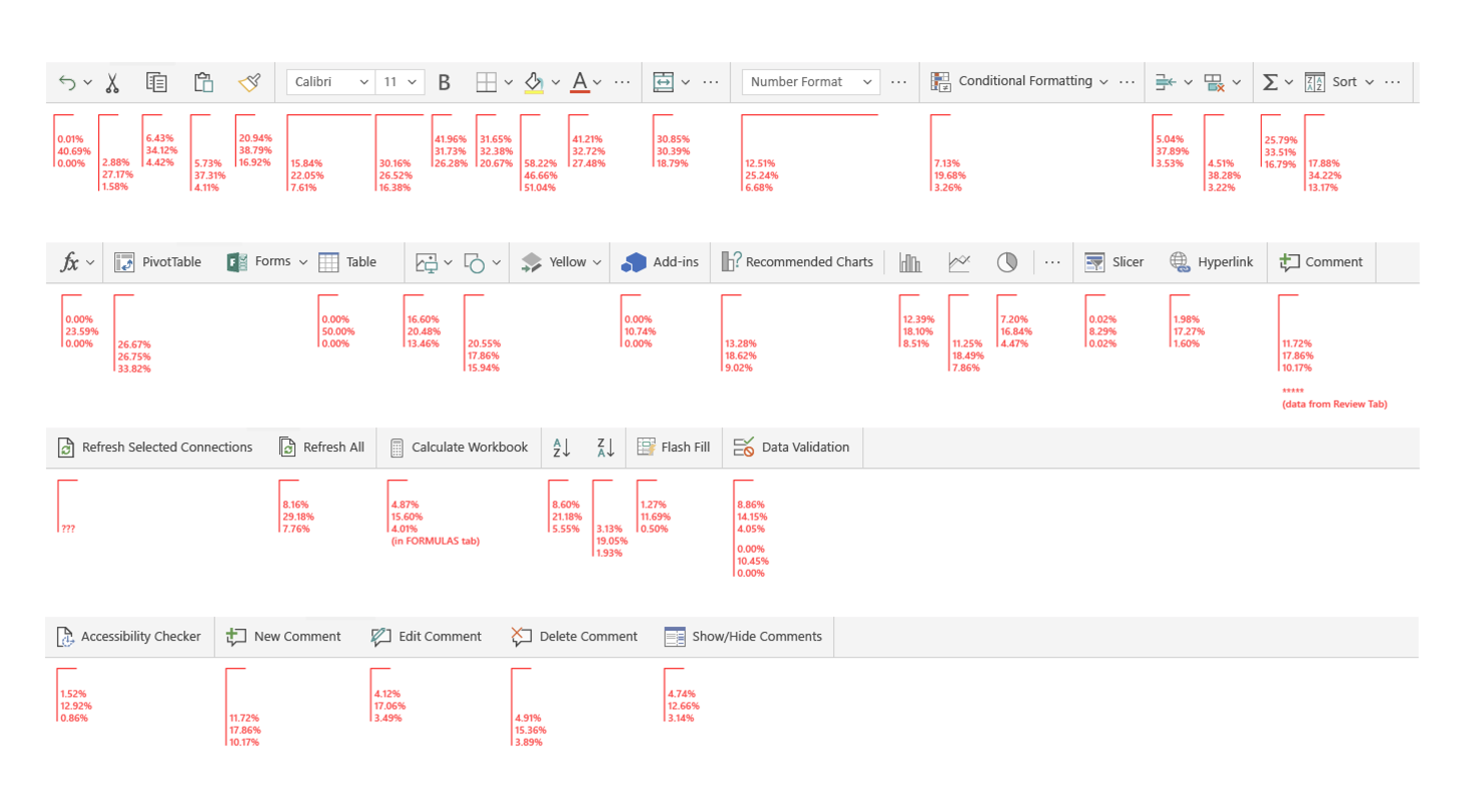
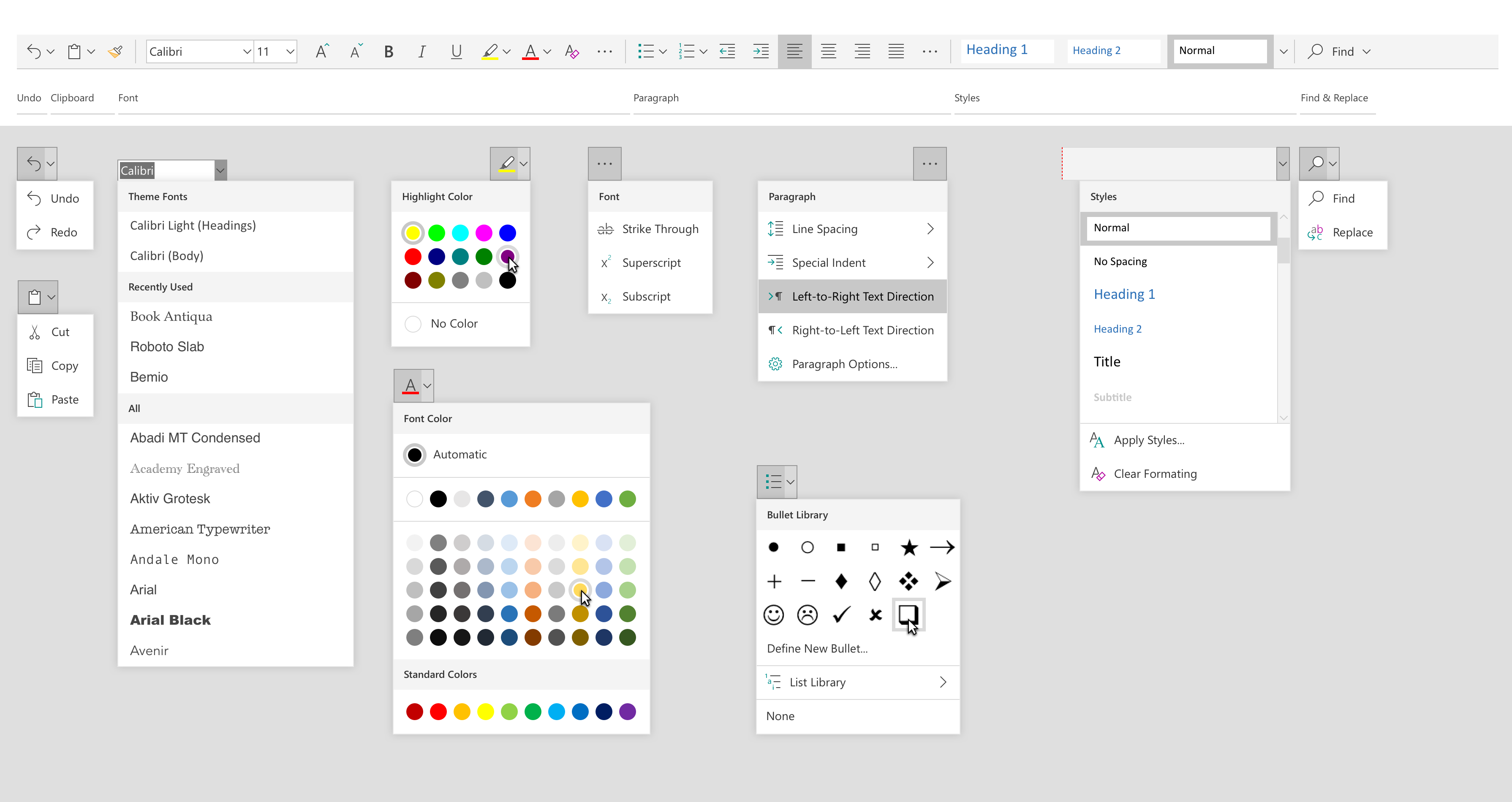
The command ribbon is central to Office products, housing 93 functions in Word and even more in PowerPoint and Excel. However, for light editing users or those on smaller screens, its complexity can be more overwhelming than helpful.
05. FINAL DESIGN
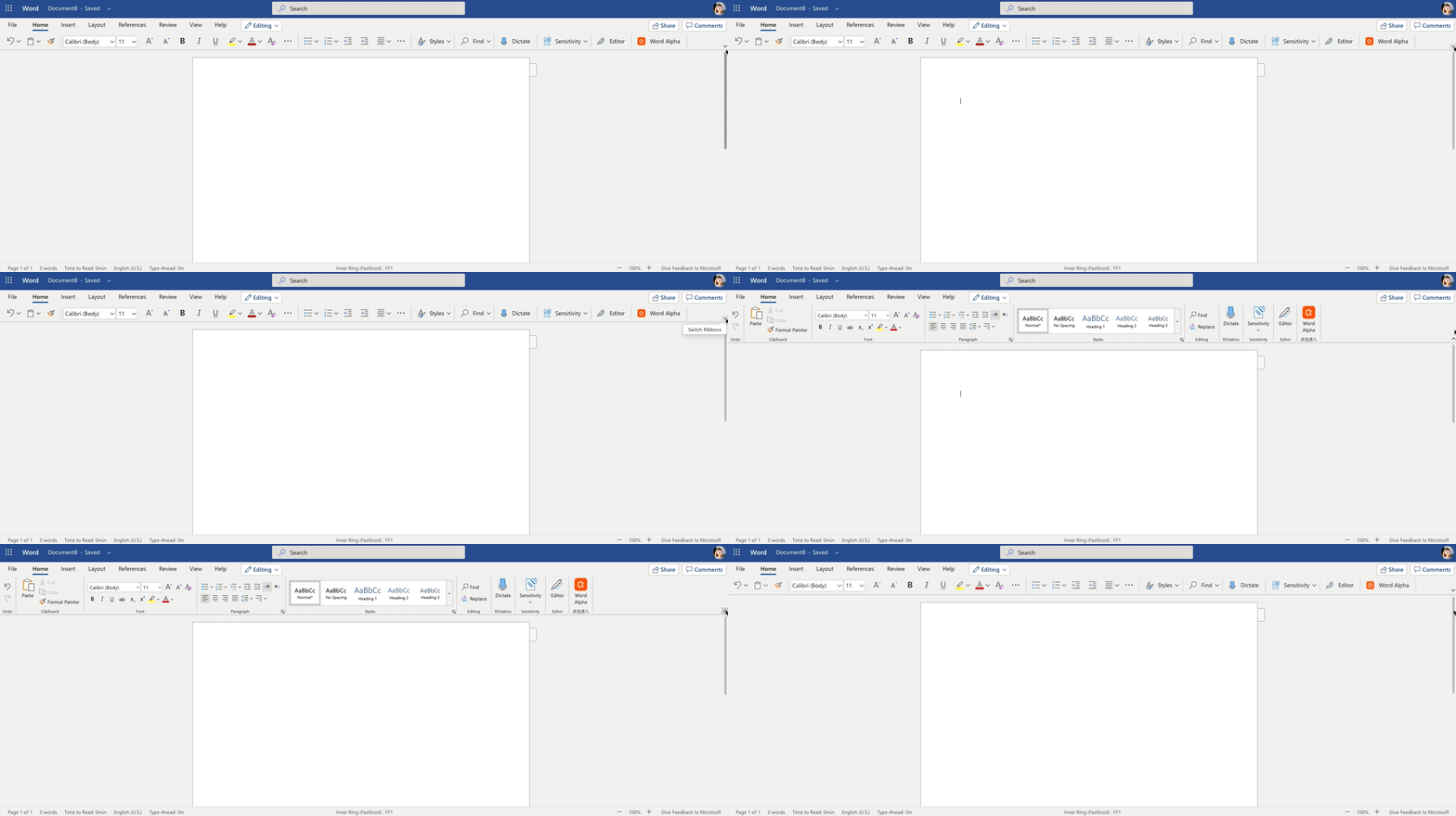
There are ninety three default controls in Word online ribbon, grouped under six regular tabs and two contextual tabs. After re-prioritizing and re-grouping by studying the ribbon telemetry and talk to users, we minimized the default first level controls to seventy four and updated the multi-line ribbon into a single-line version.
06. TIMELINE & MILESTONES
Summer 2018 - Simplified ribbon launch
Summer 2019 - Task pane management launch
Summer 2019 - Visual refresh for the classic ribbon

