As Coda users create more, finding content should be easy—but fragmented search made it tough. The Unified Finding UX uplift brings them closer to their creations!
02. MY ROLE
Design Lead | Roadmap Planning | User Research
03. KEY CHALLENGES
Old Habits Die Hard.
Coda was founded in 2014 with Docs as the core unit of creation and search indexing. But after seven years of evolution, users shifted their focus to Pages and content blocks. Validating this shift and persuading stakeholders who still saw Docs as king was a challenge.
New Game+
The entire team was new to search, so we started fresh—learning fundamentals, key metrics, and built shared knowledge base to improve together.
04. PROCESS
05. PROBLEM TO SOLVE
As Coda users create more content, finding information becomes harder. Fragmented search, limited filters, and non-personalized results reduce productivity and weaken user engagement.
06. DISCOVERY
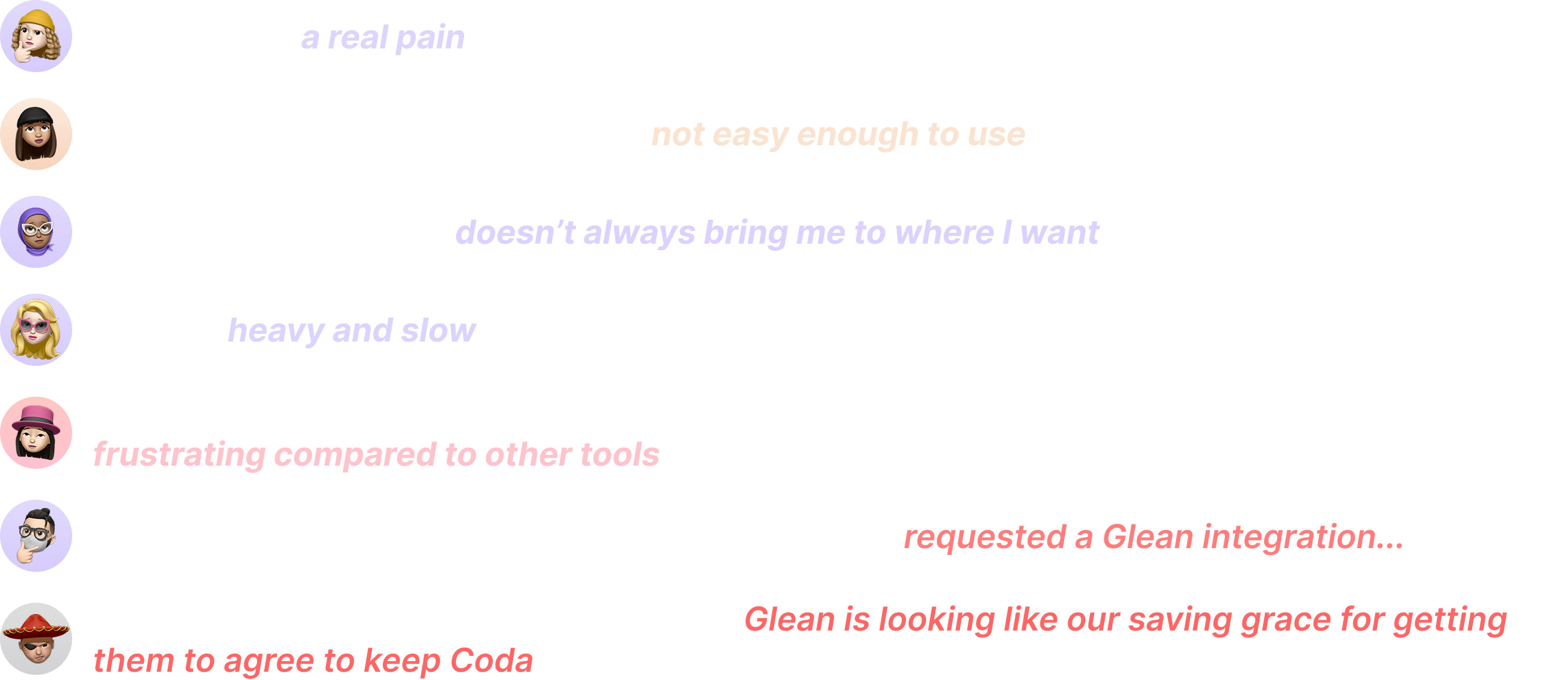
The Unified Finding project began as a small UI fix. While addressing quick wins, I led user research to uncover key issues in Coda's search experience.
07. IDEATION - PITCHING - ROADMAP PLANNING
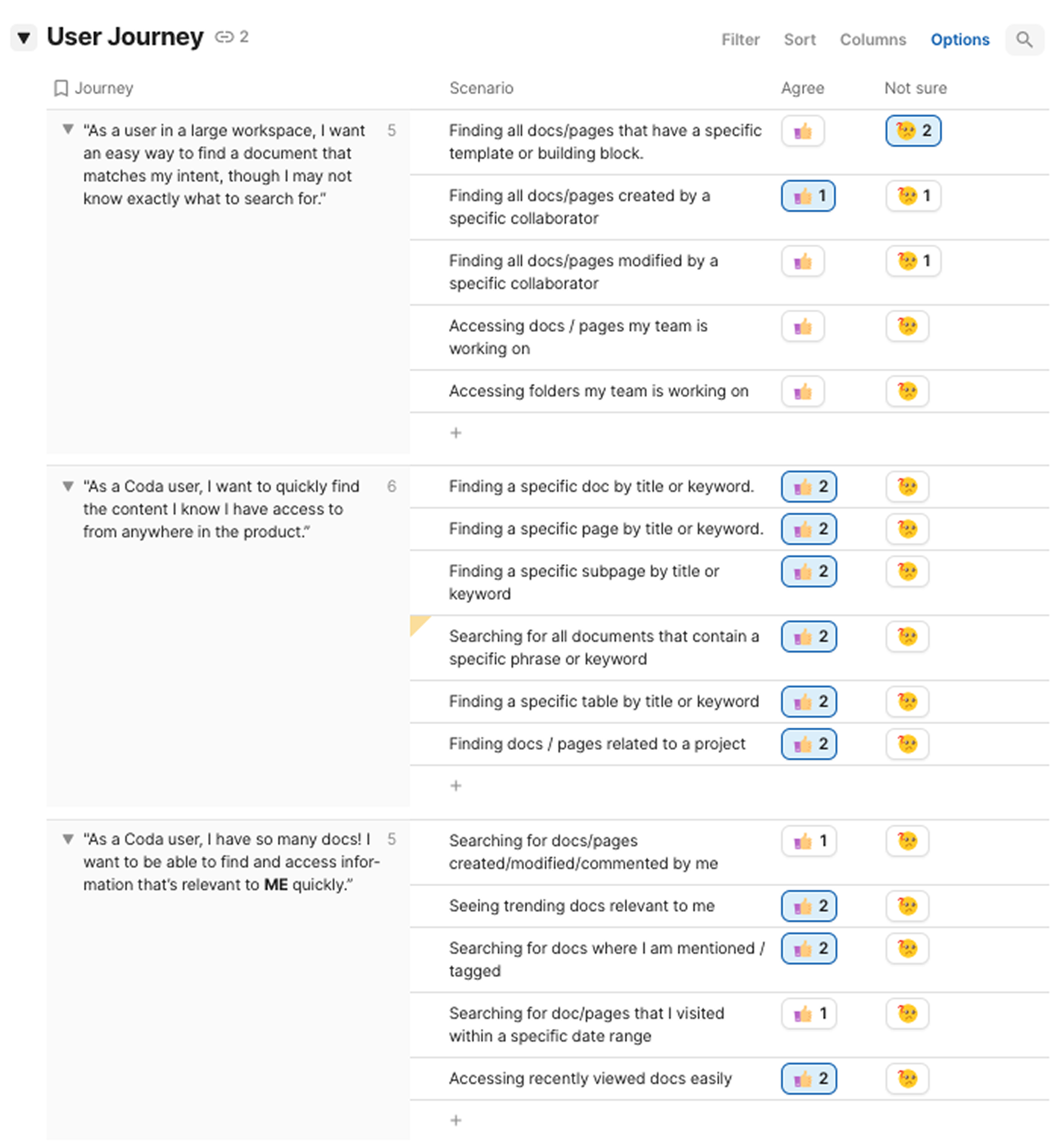
Journey breakdown & Opportunity Prioritization
Users rely on search to accomplish seven major finding goals, each requiring multiple steps. Mapping these journeys helps our team understand needs holistically and prioritize effectively.
Leadership Engagement & Roadmap Planning
The team successfully pitched the project and secured its place in our quarterly roadmap with a well-defined scope. The scoping was guided by prioritizing user needs and pain points, along with assessing feasibility.
Following this, the team held an additional meeting to break down tasks and assign ownership.
08. UNIFIED SEARCH - SOLUTION LAUNCH 01
For the first launch, the team focused on enhancing Workspace search and embedding it into Doc search as the initial step toward a truly unified search experience.
All content type Indexing
With new indexing system, now users are able to search all content types across workspaces in Coda!
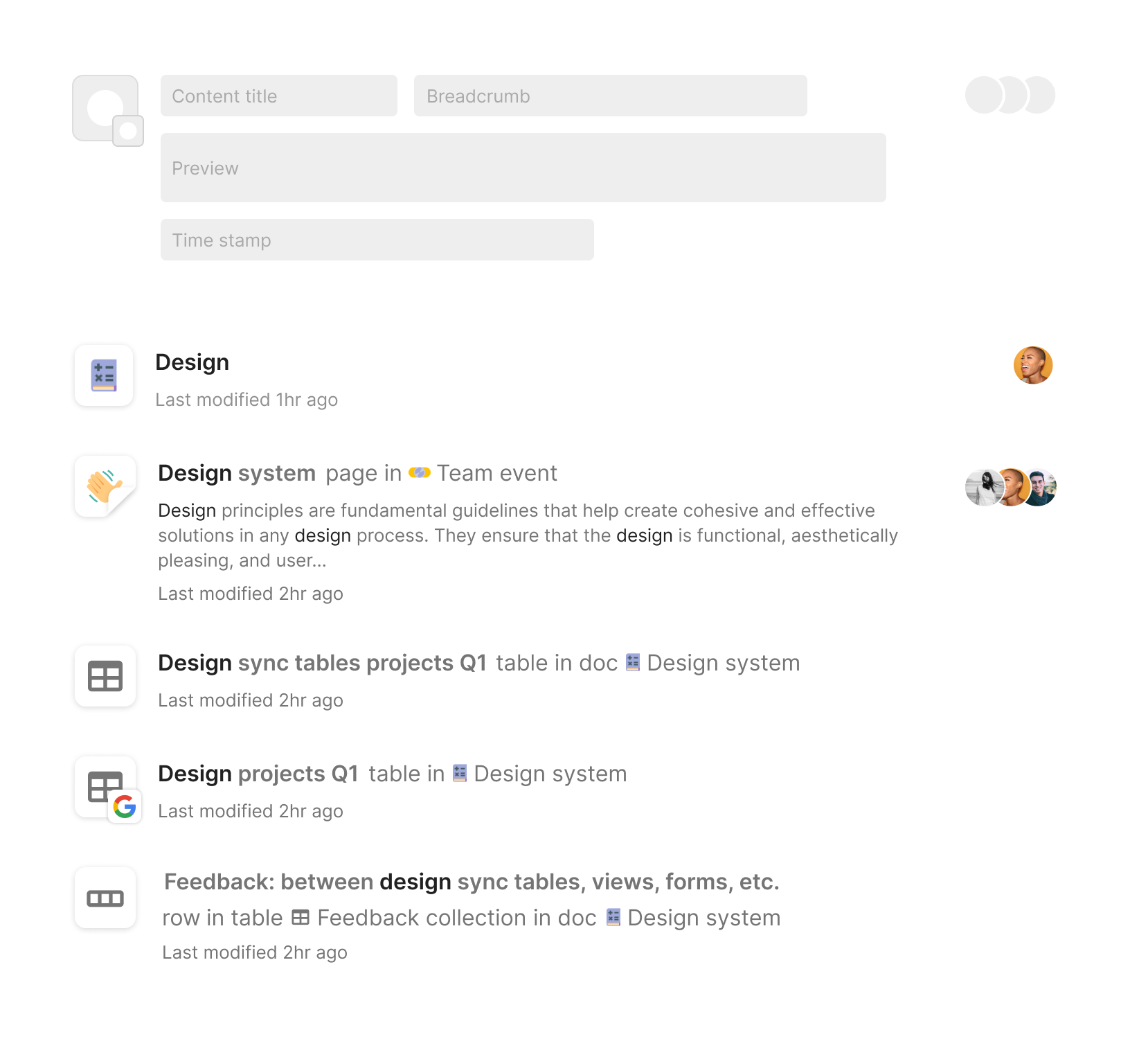
New Search Result presentation
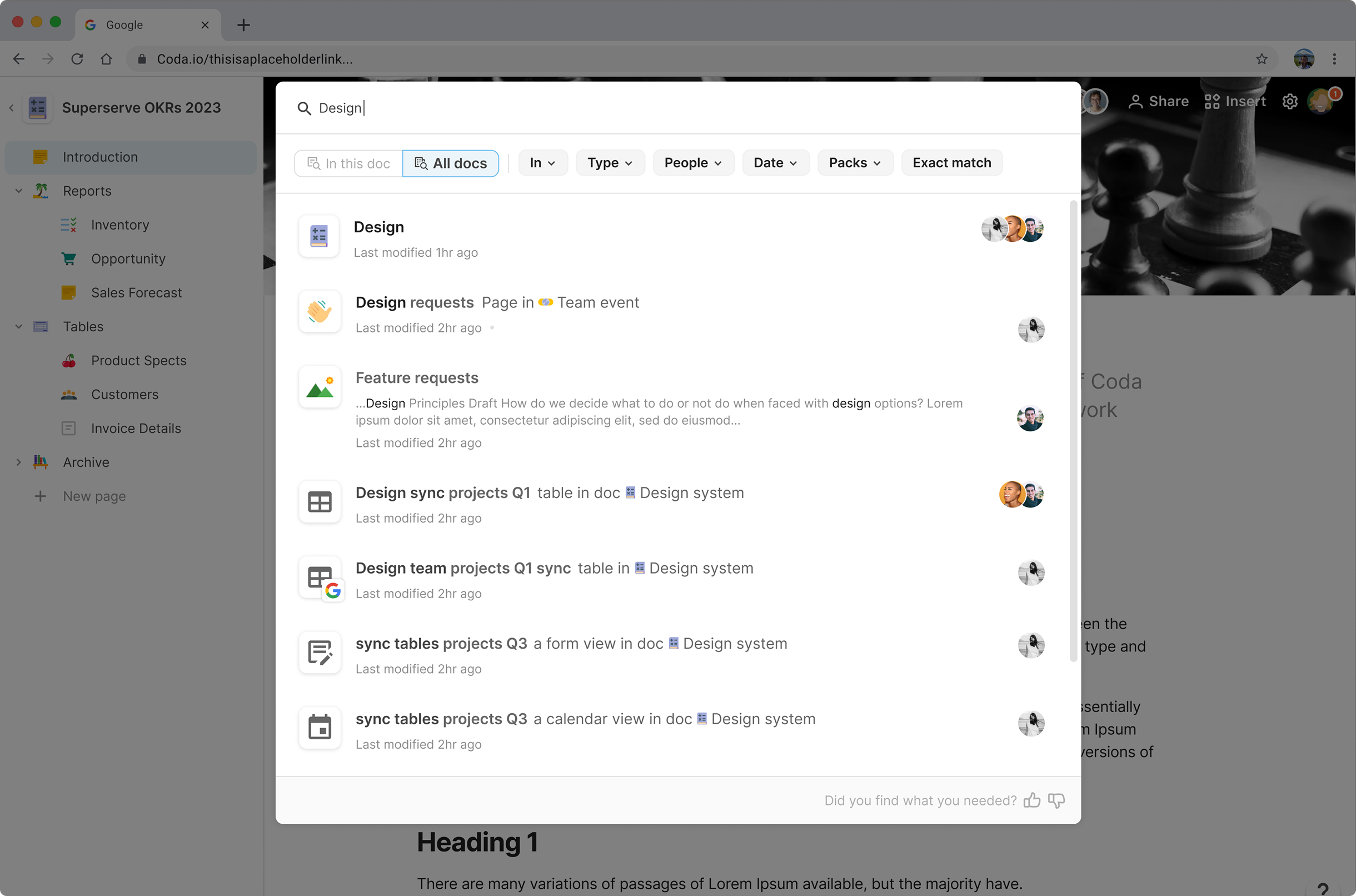
Each content type requires unique presentation. So I designed this new search result presentation frame to help user better anchor what they are looking for.
Advanced filters
Expanded from 1 to 6 filters to help users quickly refine their search!
Unify scattered search experience
As an early step toward unified search, I designed the first version of cross-workspace search in canvas. It maintained the existing in-doc search while being sufficient for usability testing.
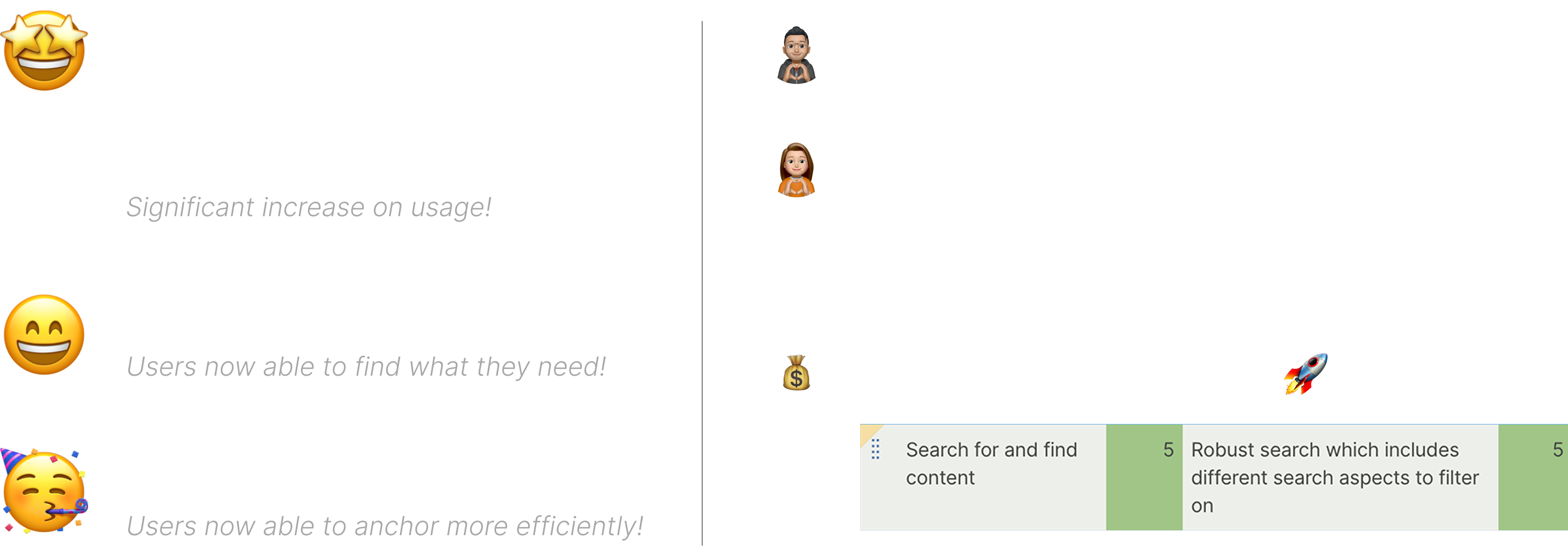
• Impact •
09. UNIFIED SEARCH - SOLUTION LAUNCH 02
After another round of user research focused on navigation and the finding experience in Coda, all findings highlighted the need for a cross-doc search to create a unified and seamless experience. With this insight, the team kicked off the second revision. Here is the final outcome:
New entry
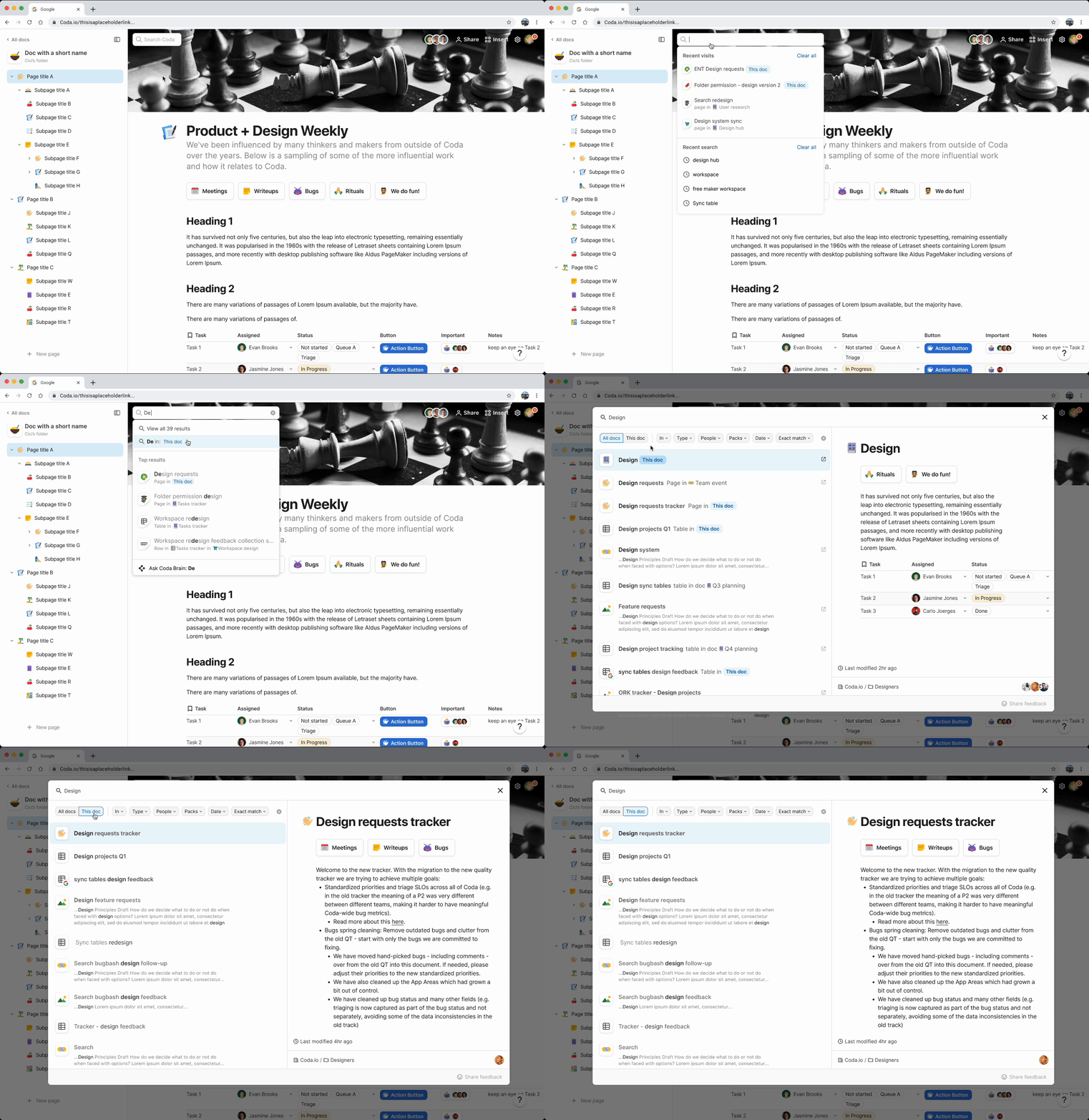
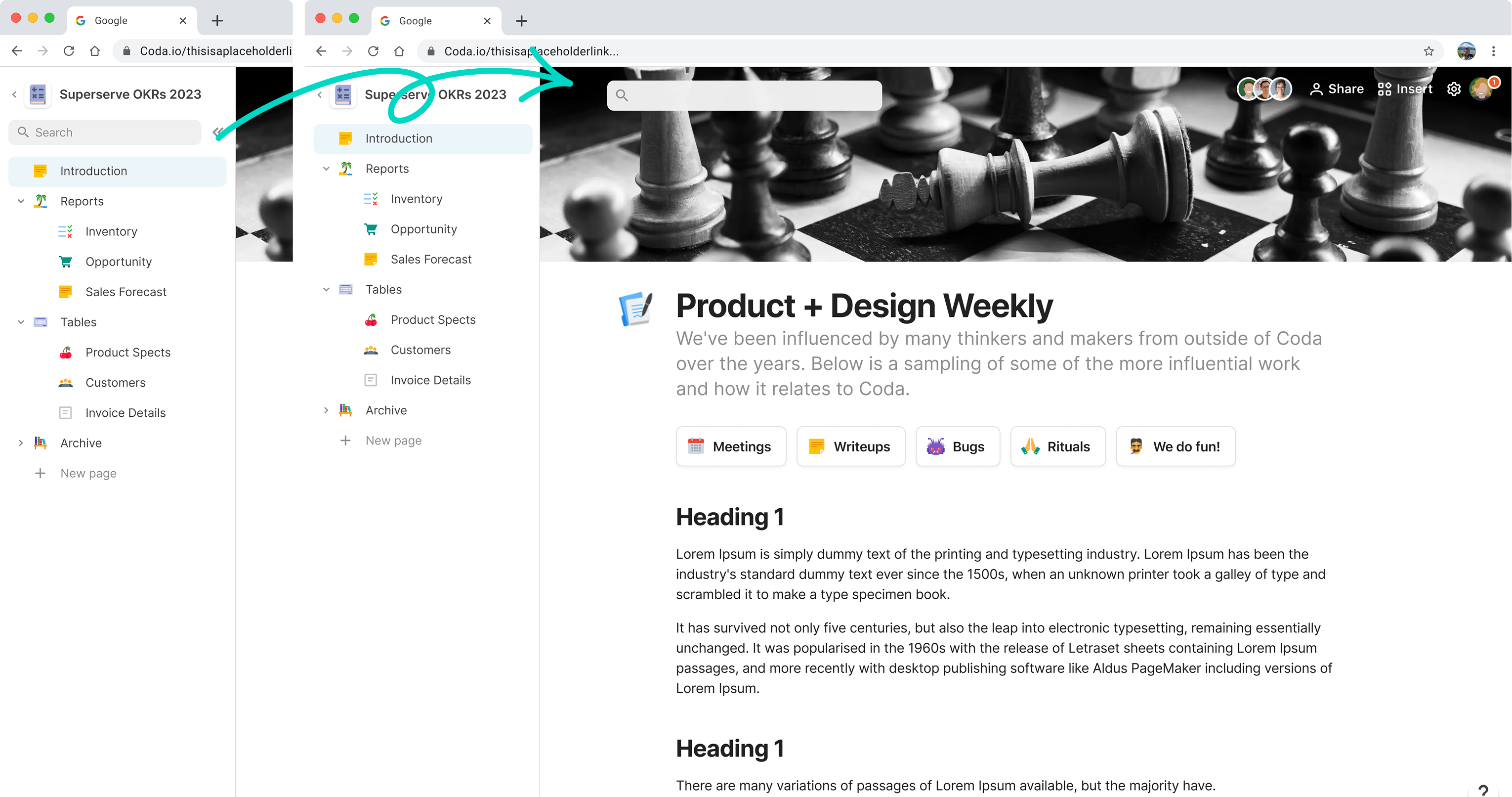
The search box is now at the top of the page, signaling its role as the universal search!
Search Model
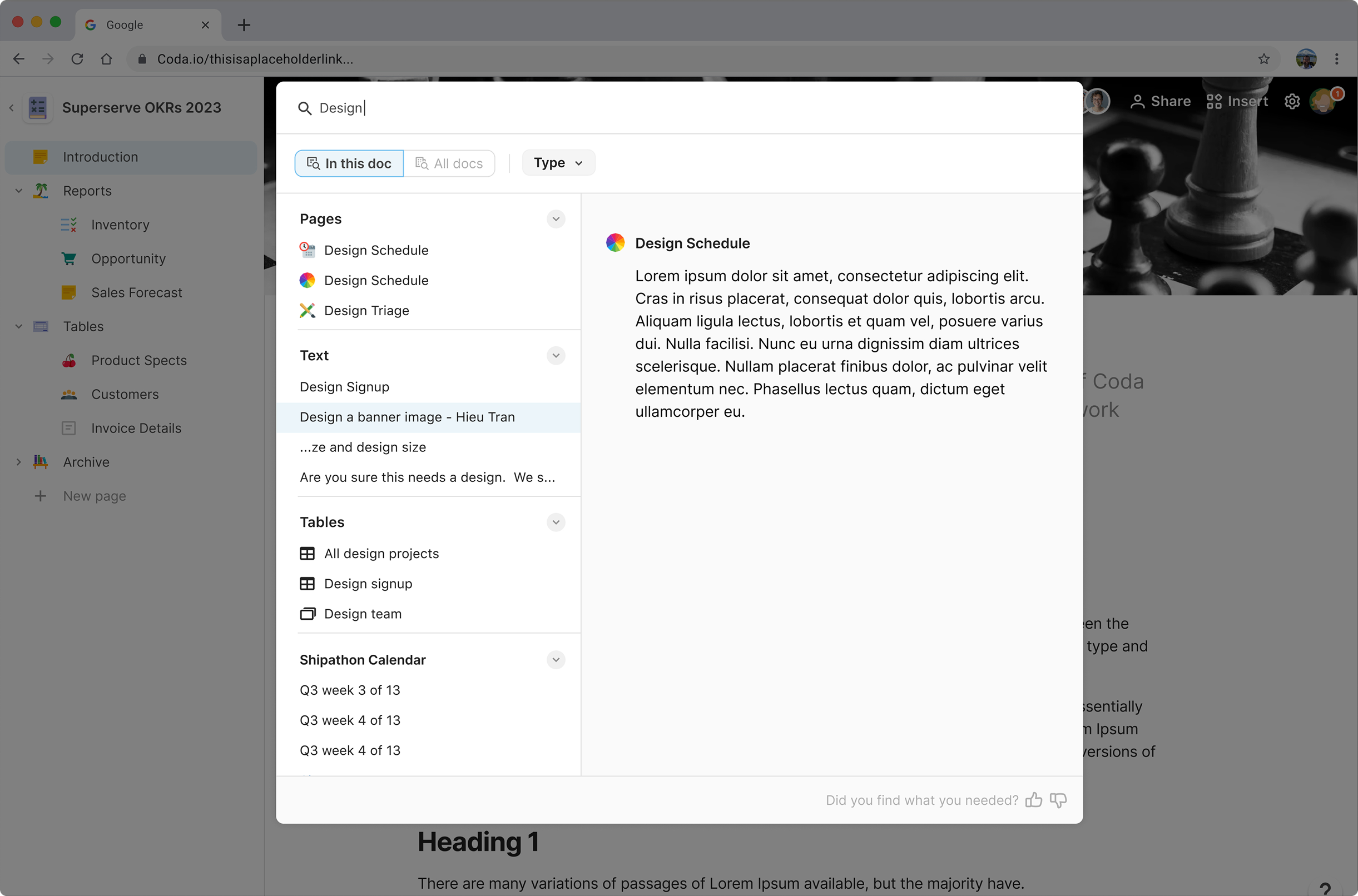
The new search model sits above the canvas, integrating both cross-workspace and in-doc results while keeping users in context for seamless focus.
Quick Search
I introduced a three-step search to help users quickly find past activity without typing the full query.
10. DESIGN ITERATIONS & DECISION MAKING
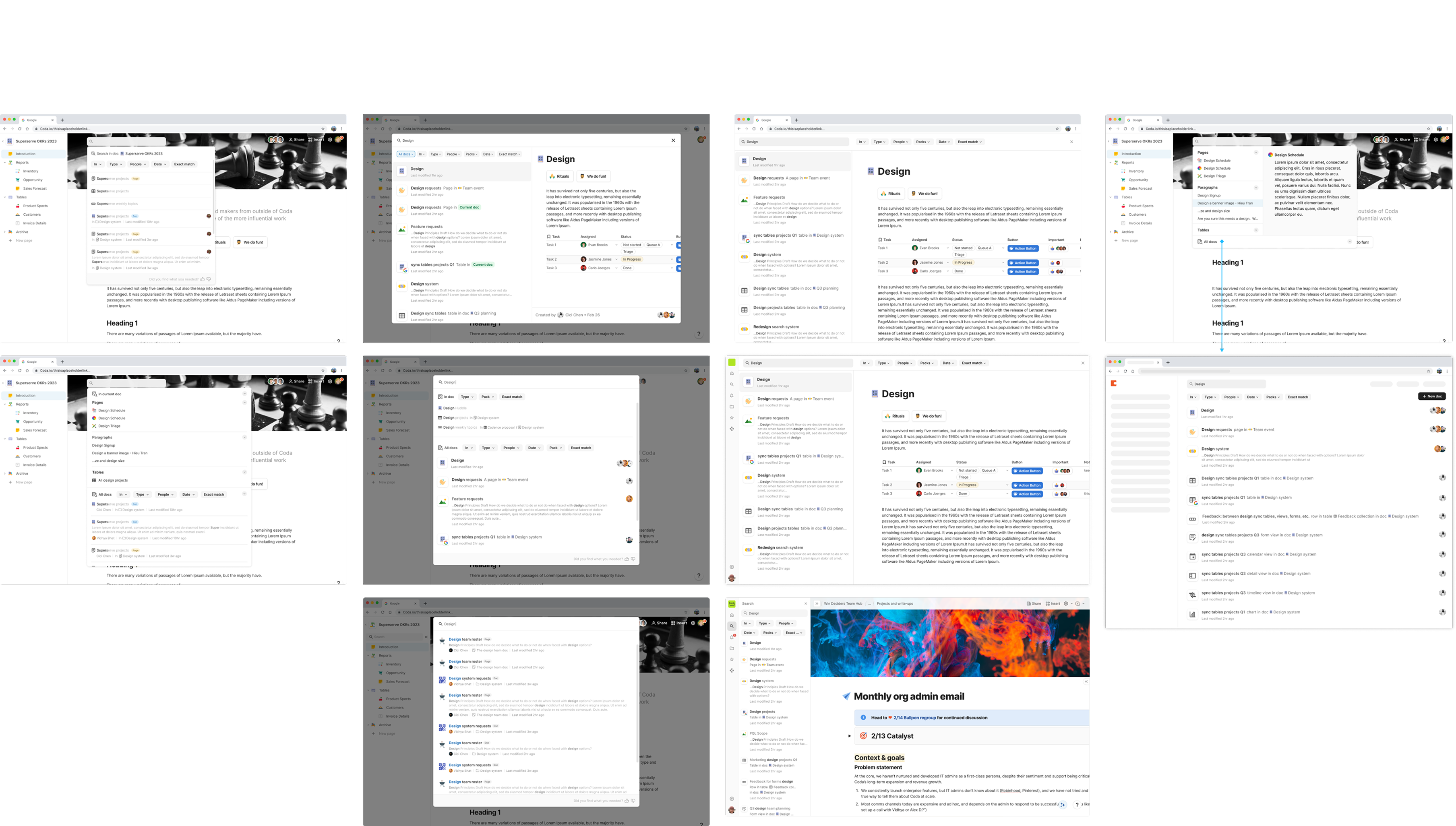
Through two phases of discovery and design exploration, I used design magic to explore various options for improving the search experience. Here are a few key areas I had fun experimenting with.
Search UX unifying
Visual explorations for how to best present the unified search.
Search result presentation refreshing
Visual explorations for how to best present and unify all types of content in search.
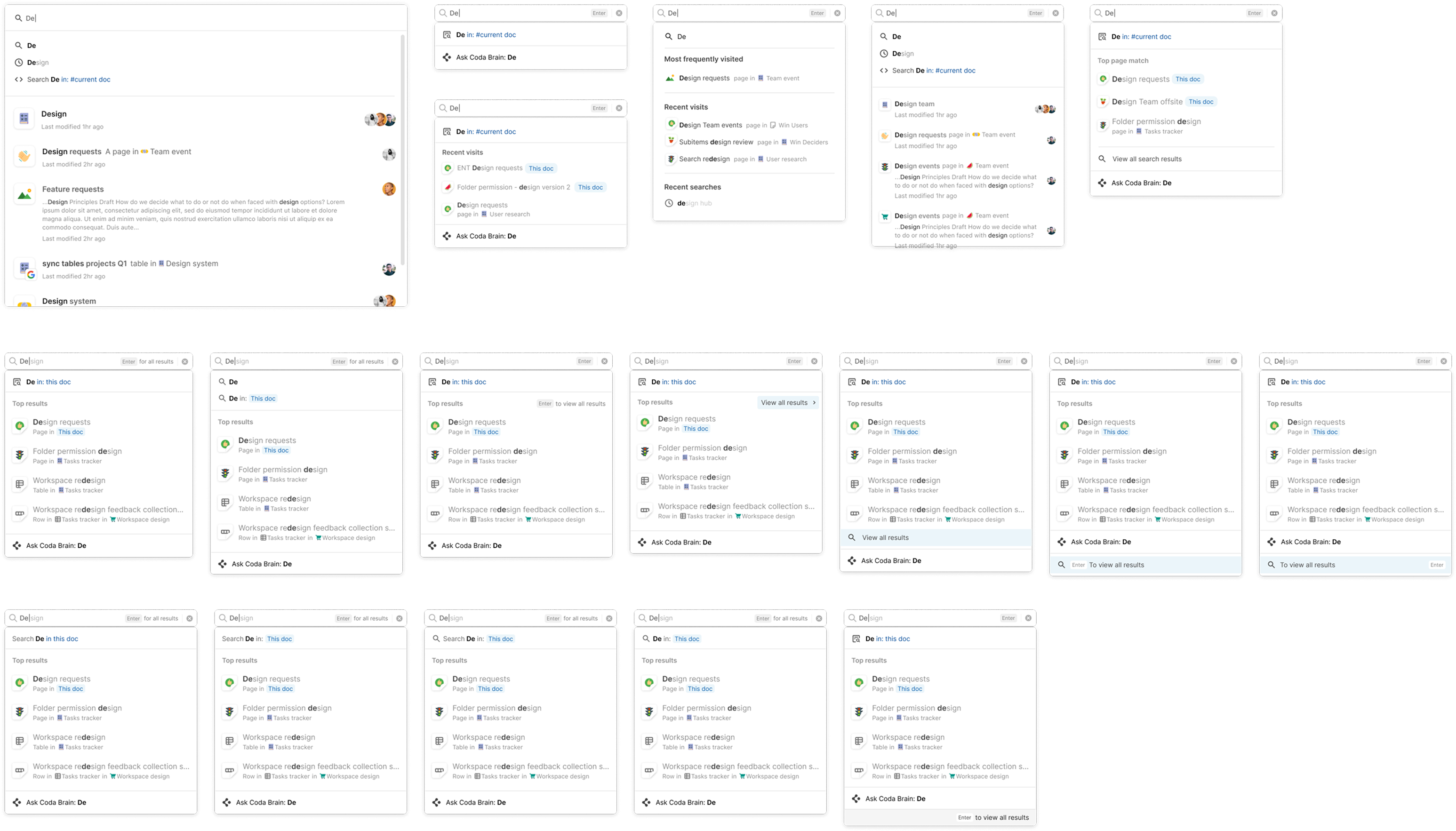
Search faster
Micro-interaction and visual detail explorations for the three steps search.
11. THE FUTURE!
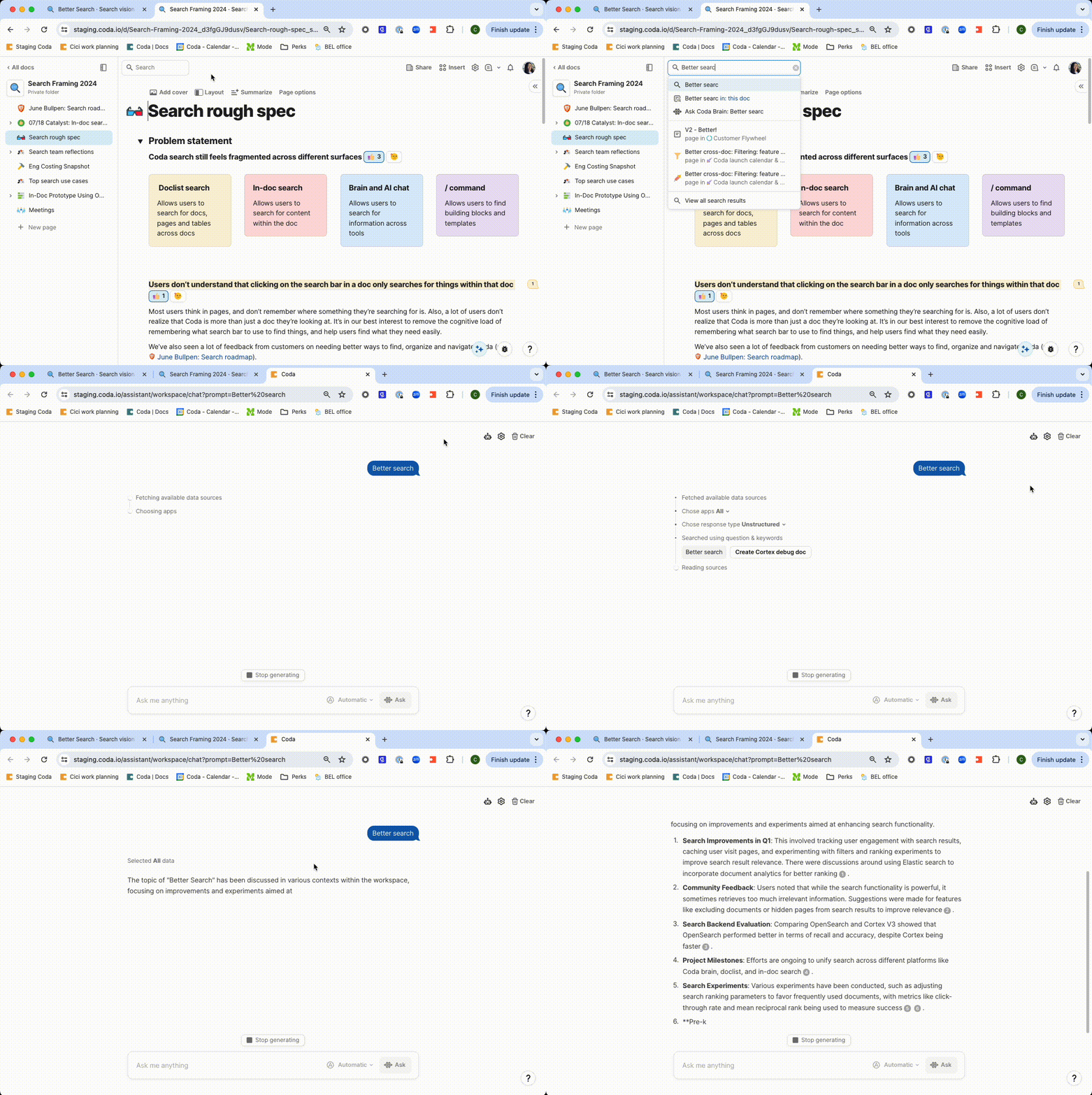
To enhance the usefulness and personalization of both the search function and Coda AI, we envision integrating them, using the search bar as the primary gateway to AI.
.png)
.png)

.png)
.png)
.png)
.png)
.png)